Use AI to audit your vibe-coded app before launch
A single prompt that makes Claude think like a security expert, product manager, lawyer, and engineer to find what's missing before you let real users in.
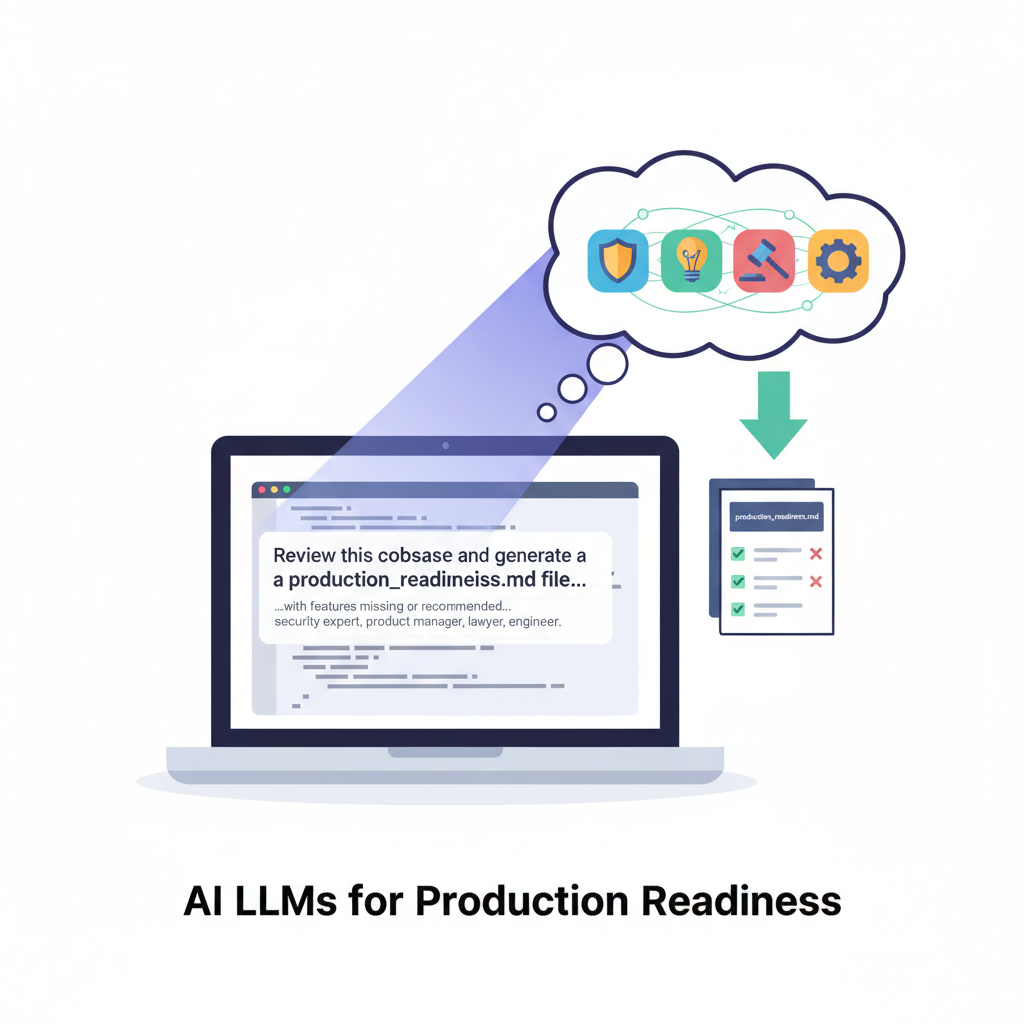
TL;DR: Before launching a vibe-coded app, ask an AI to review your codebase as four different experts. You’ll get a comprehensive production readiness report that catches gaps you didn’t know existed.
The Vibe Coding Problem
You shipped fast. The AI helped you build features, the demo works, and you’re ready to flip the switch and let users sign up. But somewhere between “it works on my machine” and “real humans are trusting this with their data,” there’s a gap.
Vibe-coded apps move fast by design. The downside? Security reviews, legal compliance, and operational hardening often get deferred until “later.” The problem is knowing what “later” actually requires.
The Prompt
Here’s a refined, drop-in prompt you can use with your AI coding agent:
View the full prompt (click to expand)
You are acting as a **security engineer, product manager, technology lawyer, and senior software engineer** reviewing this codebase before public launch.

---

## Task

Review the entire codebase (frontend, backend/API routes, database migrations, infra/config) and create a file named **`production_readiness.md`** at the repo root.

That file should explain **what is missing or needs improvement before I allow real users to sign up and use this product**.

---

## Output structure

Use this structure (adapt `<ProjectName>` as needed):

```md
# Production Readiness – <ProjectName>

This document flags gaps to address before opening signup. It covers product/UX expectations, legal/compliance duties, and engineering/ops risks observed in the current codebase.

## Launch Blockers (fix before allowing real users)
- …

## Product / UX Readiness
- …

## Legal / Compliance
- …

## Security Readiness (specialist lens)
- …

## Engineering / Operational Readiness
- …

## Recommended Next Steps (order)
1) …
2) …
3) …
```

At the very top of the file (right under the intro paragraph), include a **one-paragraph executive summary** and a simple rating:
`Ready`, `Almost ready`, or `Not ready`.

---

## 1. Launch Blockers (all roles)

Identify the **critical issues that must be fixed before allowing real users to sign up**.

For each blocker:

* Give a **short title**.
* Explain **why it is a launch blocker** (risk, impact, or broken flow).
* Reference **specific files/routes/migrations** (e.g., `app/api/auth/route.ts`, `middleware.ts`, `supabase/migrations/*.sql`).

Focus on things like:

* Broken or incomplete signup/onboarding flows.
* Public data exposure, missing authorization, or insecure endpoints.
* Missing basic account safety (password reset, email verification, account deletion/export).
* Unreliable or incomplete billing/subscription logic (if present).
* No observability for critical failures.

---

## 2. Product / UX Readiness (product manager lens)

Compare what the project **promises** (README, docs, marketing copy, PLAN files) vs. what's actually implemented in code.

Call out:

* **Core user journeys**: signup, login, logout, password reset, onboarding, main feature use, billing/subscription (if any).
* **Gaps**:

  * Missing flows (account deletion/export, profile/API key management, support/contact surface, status/uptime page).
  * Confusing or missing states (empty states, error states, loading states, "out of credits"/quota messages).
  * Features mentioned in docs but not implemented (e.g., chat, team collaboration, sharing, etc.).
* **Clarity**:

  * Free vs paid vs trial behavior.
  * What happens when a user runs out of credits/limits.
  * How upgrades/downgrades/cancellations are handled in the UI (if applicable).
* **Content & safety**:

  * NSFW/abuse policy visibility.
  * Reporting/blocking mechanisms, if user-generated content exists.
* Note any obvious **accessibility** or internationalization gaps.

---

## 3. Legal / Compliance (lawyer lens)

Infer legal/compliance needs from the code and integrations. Highlight what should be added or clarified before launch:

* **Policies & consent**

  * Need for Terms of Service, Privacy Policy, and Cookie/Tracking Policy.
  * Where and how to capture explicit consent at signup and log:

    * **Timestamp**
    * **Policy version**
  * Any needed age gating or "not for children" notice.

* **Data rights & retention**

  * Account deletion and data export flows (GDPR/CCPA-style expectations).
  * Retention/deletion policies for stored assets, logs, and backups.
  * Basic incident/breach response expectations.

* **Third-party processors**

  * Identify external services (e.g., OpenAI/Gemini, Stripe, auth providers, hosting, storage, analytics).
  * Call out the need to list them as subprocessors and explain cross-border data transfers if relevant (e.g., EU/UK users).

* **IP / content**

  * Acceptable-use policy and abuse handling.
  * Copyright/DMCA complaint workflow.
  * Ownership/licensing of:

    * User-uploaded content
    * AI-generated outputs.

* **Payments (if applicable)**

  * Clear pricing, trial terms, and cancellation/refund policy.
  * Handling of tax/VAT and receipts/invoices.
  * Ensure Stripe (or other) webhook logic matches the advertised plans and behavior.

---

## 4. Security Readiness (security engineer lens)

Evaluate the security posture in depth. For each issue, provide:

* A short title
* Impact/risk
* Specific locations in code

Cover at least:

* **Authentication & sessions**

  * Email verification, password reset, MFA availability.
  * Session lifetime, revocation, and rotation.
  * Protection against session fixation/hijacking.

* **Authorization & data access**

  * Server-side access control for projects/resources (not just client-side checks).
  * Storage (buckets, files) and DB: public vs private, RLS rules, use of signed URLs.
  * Any routes that allow access by guessing IDs or UUIDs.

* **CSRF & request integrity**

  * Protection on state-changing endpoints (auth, billing, content actions).
  * Use of CSRF tokens, SameSite cookies, Origin/Referer checks.

* **Rate limiting & abuse controls**

  * Per-IP and per-user rate limits on:

    * Signup/login
    * Expensive endpoints (e.g., AI calls, file uploads)
    * Billing and webhooks
  * Brute-force protection and abuse/spam controls.

* **Input validation & content safety**

  * Length/size limits for user inputs.
  * Sanitization/escaping for content rendered into the UI.
  * Moderation hooks or filters for prompts/content (if applicable).

* **Secrets & config**

  * Handling of API keys and service role keys.
  * Environment variable validation.
  * Ensuring secrets are never bundled to the client.
  * Secret rotation and logging hygiene (no secrets/PII in logs).

* **Webhooks & external API calls**

  * Idempotency, event allowlisting, and error handling for webhooks.
  * Timeouts/retries/backoff for external calls.
  * Graceful degradation/circuit breaking for provider failures.

* **Supply chain & security observability**

  * Dependency auditing (npm audit/SCA).
  * Static analysis/linters.
  * Audit logs, security-relevant events, and alerting on suspicious activity.

---

## 5. Engineering / Operational Readiness (senior engineer lens)

Assess how well this system can run safely in production:

* **Auth & account safety**

  * Password reset, email verification enforcement, account lockout behavior.
  * Session handling and revocation.

* **Authorization & data integrity**

  * Isolation between users/tenants.
  * Server-side enforcement of ownership when reading/writing data.
  * Audit logs for sensitive operations (billing, credit changes, role changes, admin tools).

* **Abuse & reliability**

  * Rate limits/throttles and back-pressure mechanisms.
  * Idempotency for queues and webhooks.
  * Handling of crashes and retries for background tasks (if any).

* **Data model & migrations**

  * Match between described domain model (in docs/PLAN) and actual schema.
  * Backup and restore strategies.
  * Safe migration rollout and basic smoke tests.

* **Observability & quality**

  * Error tracking, logging, metrics, health checks, uptime monitoring.
  * Automated tests (unit/integration/e2e) for critical flows:

    * Signup → onboarding
    * Billing (if any)
    * Core product functionality.

* **Config & secrets**

  * Runtime env validation (failing fast if keys are missing).
  * Environment-specific configuration (dev/stage/prod).

* **Performance & UX engineering**

  * Potential performance hotspots (N+1 queries, large payloads, blocking calls).
  * Use of caching/CDN for heavy assets.
  * Client-side performance considerations (large bundles, unoptimized images).

---

## 6. Recommended Next Steps (ordered plan)

End `production_readiness.md` with a **short, numbered list of 5–8 next steps**, grouped by theme and ordered by priority. For example:

1. Close core security/compliance gaps (policies, consent, private storage, rate limiting, CSRF).
2. Fix onboarding & account fundamentals (signup, email verification, password reset, account deletion/export).
3. Stabilize billing/payments (if present).
4. Add observability and basic alerting.
5. Add automated tests and environment validation.
6. Align docs/marketing with implemented feature set.
7. Document ops runbooks (incidents, backups, key rotation, retention).

Each step should describe **what kind of work** is involved and why it matters.

---

## Style & constraints

* Use **clear headings and bullet lists**, not long paragraphs.
* Be **specific and actionable**:

  * Always reference concrete files/routes when possible.
  * Explain *why* each issue matters and what risk it carries.
* Do **not invent features** that aren't in the repo. If something appears missing or unclear, say so explicitly (e.g., "No password reset flow found in `app/api/auth/*` or any UI pages.").
* Assume the goal is to safely allow real users to sign up and use the app with minimal surprises.
The prompt forces the AI to adopt four distinct perspectives, each with specific concerns and a structured output format.
Why Four Perspectives?
Each role catches different blind spots:
- Security Expert — Authentication gaps, authorization flaws, rate limiting, input validation, secrets management
- Product Manager — Broken user journeys, missing onboarding flows, unclear pricing, feature parity with marketing
- Lawyer — Privacy policies, terms of service, data rights, third-party disclosures, compliance requirements
- Engineer — Operational readiness, observability, error handling, data integrity, performance concerns
A single “review this code” prompt misses most of these. Forcing perspective shifts surfaces issues that live at the intersection of disciplines.
Real Example
I ran this prompt against a web app—an AI image generation SaaS built primarily through vibe coding. Here’s what the AI found:
Launch Blockers
The report immediately flagged critical issues:
- No legal pages: No privacy policy, terms of service, or cookie notice. No consent capture at signup.
- Broken access control: Storage bucket was public, image download routes were unauthenticated. Any guessed UUID would leak user content.
- Dead-end onboarding: Middleware required an active subscription to access the app, but new users started with zero credits and no subscription. Users literally couldn’t use the product after signing up.
- No account recovery: No password reset, no email verification, no account deletion.
- No abuse protection: Zero rate limiting on auth, image generation, or billing endpoints.
Any one of these would have caused serious problems post-launch.
Why This Works
The AI doesn’t know your specific business constraints, but it does know patterns. It’s seen thousands of codebases with similar structures and can pattern-match against common gaps.
The four-perspective prompt forces comprehensive coverage:
- Security perspective catches technical vulnerabilities
- PM perspective catches broken user journeys
- Legal perspective catches compliance gaps
- Engineering perspective catches operational risks
Together, they create a checklist you can actually prioritize against.
Making It Actionable
The report isn’t meant to block your launch indefinitely. Use it to:
- Identify true blockers: What would cause immediate harm to users or legal exposure?
- Prioritize the backlog: What can wait until after you have paying customers?
- Document known risks: What are you accepting for now, and when will you address it?
For this web app, the immediate blockers were clear: fix the broken onboarding, lock down storage access, add basic legal pages. Everything else could be prioritized against user feedback and revenue.
Takeaways
- Vibe-coded apps ship fast but often skip hardening steps
- A single prompt with four perspectives catches gaps across security, product, legal, and engineering
- The output is a prioritized checklist, not a demand to fix everything before launch
- Run this before any launch where real users will trust you with their data
Try this on your own codebase. The results might surprise you.